
e-GP Guide
Digital Trade Documents: Mistakes That Delay Shipments and Payments
Digital Trade Documents: Mistakes That Delay Shipments and Payments
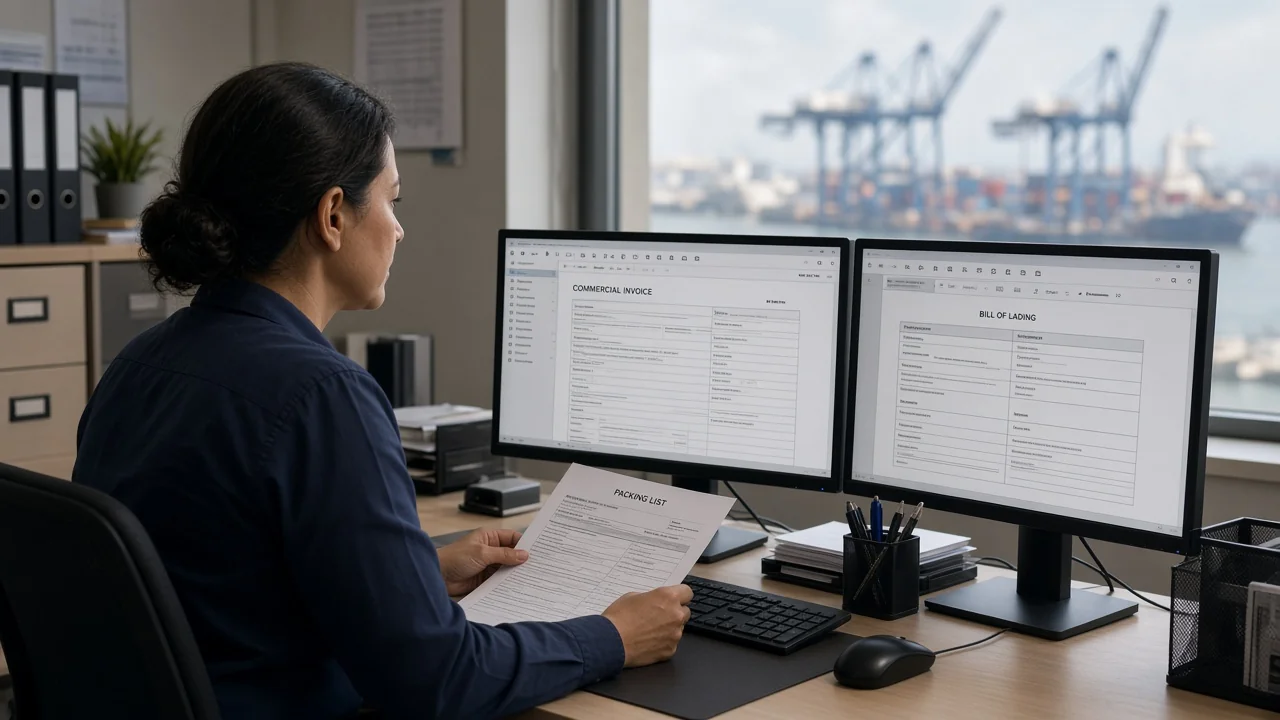
Paper did not disappear. It moved onto email, portals, and PDFs that nobody checks against the packing line. Digital trade documents mistakes now delay cargo as often as a late truck: a kilo that does not match, a buyer name that does not match the LC, a scan so compressed the bank cannot read a stamp.
This article is for SME exporters and importers who already “do everything in WhatsApp.” Digital is fine. Inconsistent data is not.
What “digital” changes — and what it does not
Electronic invoices, e-certificates, and (in some lanes) electronic bills of lading can speed a process *if* the underlying data is clean. They do not forgive a wrong Incoterm or a fantasy HS code.
Banks and customs still compare fields. If the PDF says 1,000 kg and the B/L says 1,010 kg, you have a discrepancy whether the files live in a cloud or a drawer.
Name one source of truth in your company: the shipment file. Every portal upload should copy from it, not from memory.
The mismatch problem
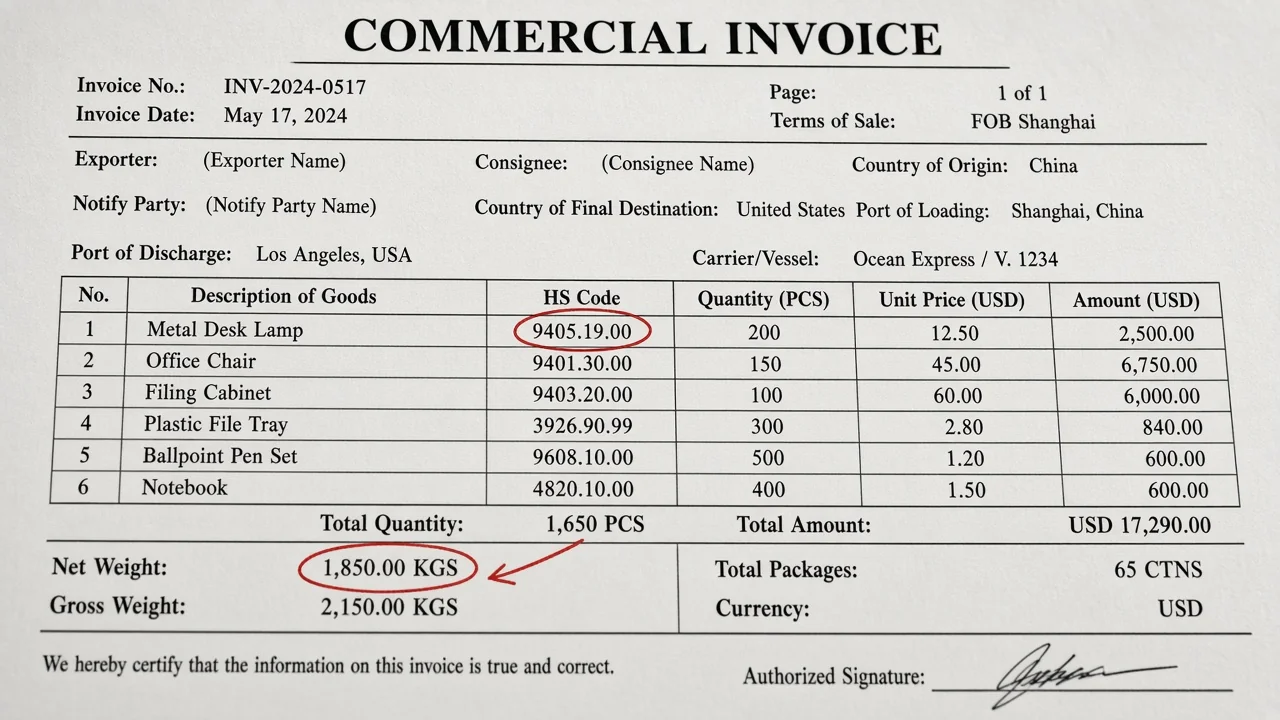
Typical breaks:
- Legal names: Ltd vs Limited vs a trading name
- Addresses that do not match the LC
- Partial shipments not allowed but you shipped partial
- Description of goods too marketing, not matching the LC wording
- Weights: net vs gross vs chargeable
- Container numbers copied wrong
- Dates that make the shipment look late versus the latest shipment date
A 15-minute four-eye check before you send the set is cheaper than a courier of originals after the vessel sailed.
Digital trade documents mistakes also include sending the *wrong version*. v3 in email, v2 in the portal. Use filenames with date and shipment ID.
Scans, photos, and “the stamp is there if you zoom”
Banks reject illegible stamps. Customs officers do too. Photograph documents on a desk, not a bedsheet. Do not WhatsApp-compress a certificate of origin into mush.
If a platform issues an original electronic certificate, do not also invent a conflicting paper copy. Dual versions are a fraud signal even when you are innocent.
Letters of credit still hate creativity
If you are paid by LC, the document set is a script. Follow the script. Do not improve the product description to sound nicer. Do not add a logo that covers a field.
Present on time. Digital presentation, where allowed, still has cut-off times. Know your bank’s channel.
If you cannot live with LC rigidity, do not agree an LC. Agree something else — and still keep documents aligned for customs.
Data you should never put in a random chatbot
Contracts, passport scans of drivers, full bills of lading with consignee details. Use your forwarder’s portal or your own files. Consumer AI is not your document management system.
A pre-send checklist
- Names and addresses match contract/LC
- Incoterm matches quote
- HS code consistent across invoice and declaration
- Packing list totals match invoice
- Transport doc matches container/seal
- Insurance matches if required
- Certificates named in the contract are included
- File names include shipment ID
- A second person ticks the list
Portals, single windows, and copy-paste errors
When customs, the bank, and the buyer each have a portal, someone will retype a weight. That someone will mistype it. Prefer export from the same spreadsheet: invoice, packing list, declaration. If your software cannot do that, a locked Excel with checksums is still better than three Word files.
Character sets: Arabic, French accents, and English names on the same shipment. Copy-paste from the contract. Do not retype a French company name from memory.
Digital trade documents mistakes include sending internal cost sheets to the buyer because they were in the same folder as the commercial invoice. Separate “external pack” and “internal pack” directories. Name them like an adult.
Time zones and cut-offs: a portal in another country may close while you are at Friday prayer or in a blackout. Load files a day early. Digital is not 24/7 in practice if your power is not.
If a correction is needed after sailing, document who approved it. Silent edits look like fraud even when they are innocent.
Version control when WhatsApp is the workflow
If the operational truth lives in a chat, appoint someone to copy the final numbers into the shipment file *before* portals. Chats are not archives. Digital trade documents mistakes love a forwarder who used the Tuesday weight and an accountant who used Monday’s.
Agree a freeze time: after that, no silent edits. If the truck scale changes the weight, issue a revision with a reason.
Electronic originals: know whether the buyer’s bank accepts them. Some still want paper. Digital pride is not a payment term.
Train the packing table to count twice. Most mismatches start as a human count, not as a PDF glitch.
If you use a translator for invoices, lock the goods description to a glossary. Creative translation is an LC killer.
Keep a discrepancy log for 90 days. Patterns (always the same SKU, always the same person) tell you where to fix the process. That log is cheaper than another software subscription.
Freeze a “gold copy” of each shipment pack the hour the truck leaves; later edits need a dated reason, not a quiet overwrite.
If the bank wants originals, budget the courier in the quote; a digital-only pride that misses an LC cut-off is an expensive personality.
Train the packing table to shout the count twice; most “digital” mismatches still start as a human tally on a noisy floor.
Photograph stuffing even when the buyer is a friend; friendship is not a packing list, and claims do not care.
Closing
Digital trade is not “less documentation.” It is faster circulation of the same facts. Digital trade documents mistakes are almost always mismatched facts and lazy scans.
Build a shipment-file habit, then keep your company easy to find for serious buyers on GoBiDx — with a profile that signals you understand documents, not only products.
Sources / further reading (optional)
- UCP 600 practice notes on LC discrepancies (bank guidance)
- National single-window / customs e-document guides
Full transcript
Complete text of this article for easy reading and accessibility.
Complete text transcript of Digital Trade Documents: Mistakes That Delay Shipments and Payments
Comments
Loading comments…
Checking sign-in…